
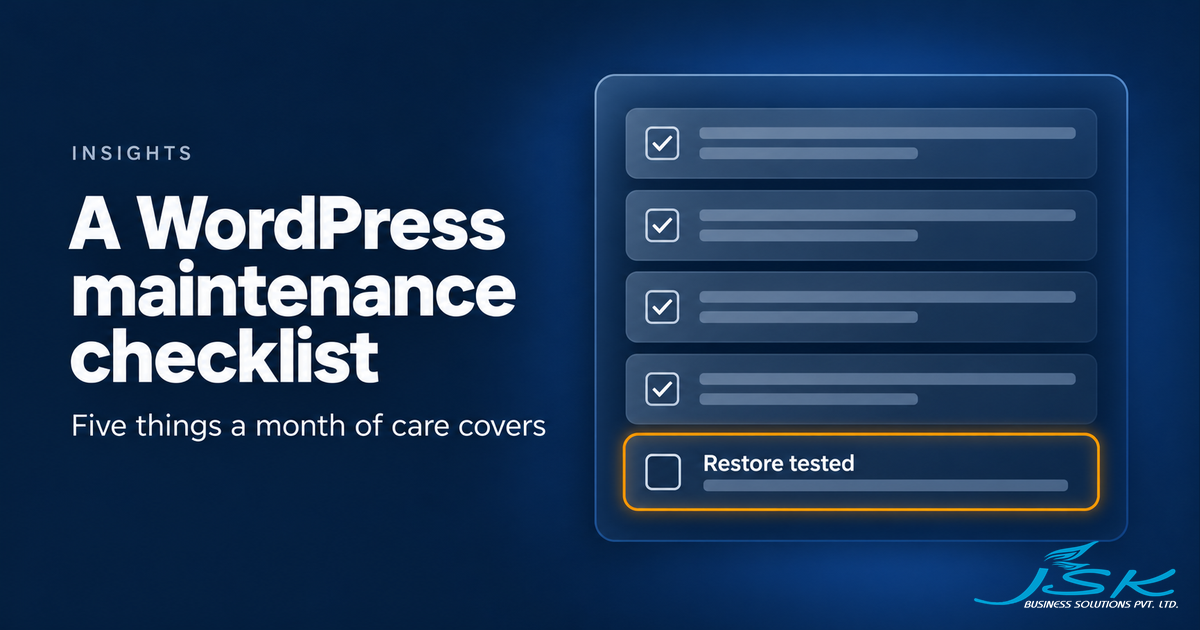
Our WordPress care plan page lists five things a month of care covers. This is the same five as a checklist you can run yourself: what each item is, how often it happens, what it protects you from, and what happens when it is skipped. One of the five is skipped far more than the others, and it is the expensive one.
Most WordPress maintenance checklists online try to list everything a site could ever need. Ours has five, because these are the five things we actually commit to on our WordPress care plan, and a checklist is only useful if somebody does every line of it, every time. Each line below is copied from that plan’s published scope, not written for this post.
We have already written about the other half: what a WordPress care plan does not cover, and why. That post is about the boundary. This one is about the routine inside it.
The checklist, by how often it happens
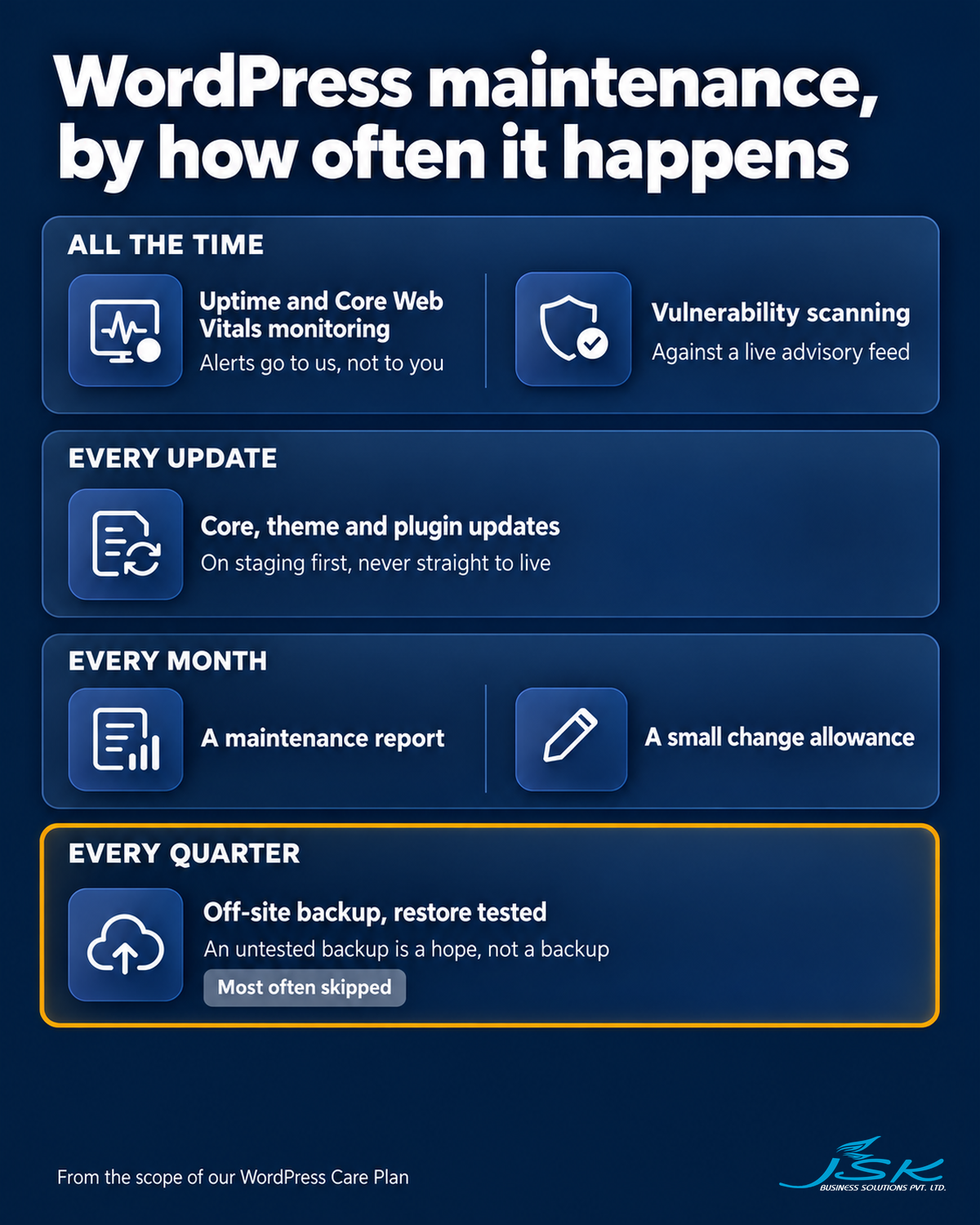
Maintenance is easier to keep up when every item has a trigger. Some run all the time, one runs whenever an update arrives, two run each month and one runs each quarter.
All the time: uptime and Core Web Vitals monitoring
What it is. Something outside your site checks that it is up and keeps an eye on how fast it loads for real visitors.
What it protects you from. Finding out from a customer. Without monitoring, the first sign that a site is down or has slowed to a crawl is usually somebody telling you.
The detail that matters. Where the alert goes. On our plan it comes to us, not to you. An alert sent to an owner at 11pm, who cannot act on it until the morning, is a notification, not monitoring.
All the time: vulnerability scanning
What it is. The plugins, theme and core version you have installed are checked against a live advisory feed of known vulnerabilities.
What it protects you from. Running a plugin with a published hole in it for weeks after the fix is out. A known vulnerability is the easy kind to exploit, because the details are public.
What it does not do. It catches known problems in things you have installed. It does not catch a zero day, and nobody honestly can.
Every update: core, theme and plugin updates, applied on staging first
What it is. Every update is applied to a staging copy of the site and checked there before it touches the live site. Never straight to live.
What it protects you from. Drift, and the update that breaks things. Core, themes and plugins are written by different people on different schedules, and left alone they drift apart. Our care plan page puts it bluntly: a WordPress site left alone for two years is not a website, it is an incident waiting for a date.
When it is skipped. Usually it is not skipped, it is done on live. Pressing Update all on the live site works most of the time, which is exactly why it feels safe until the day a plugin update takes down the checkout.
Every month: the report, and a small change allowance
What it is. A monthly maintenance report saying what was updated, what the monitoring saw and what was changed. Alongside it, an agreed allowance of small content and design changes.
What it protects you from. Two quieter failures. Without a report, maintenance you pay for is invisible, and invisible work is the first thing cut. Without an allowance, every text edit becomes a quote, so small fixes pile up until the site is out of date in a dozen small ways.
Every quarter: off-site backups, with a restore actually tested
What it is. Backups stored somewhere other than the server the site runs on, and once a quarter, a restore from one of them, tested end to end. The output is a tested restore point you know works.
What it protects you from. Everything else on this list failing at once. A backup is the item that saves you when the others have not.
The item everyone skips: testing the restore
The conventional advice on WordPress backups is to install a backup plugin, set it to run on a schedule, and stop worrying. The plugin runs, the files appear, and the dashboard reports that backups are on.
That advice is wrong about the part that matters. A backup that has never been restored is not a backup yet. It is a file that is probably a backup. As our care plan page says, an untested backup is a hope, not a backup.
It is skipped for an understandable reason: the restore is the only item on this list that takes real time and produces nothing new. Updates leave the site newer. A report leaves you something to read. A restore test, when it goes well, leaves you exactly where you started. So it slips one quarter, then another, and the first restore anybody attempts is the one done in a hurry, after something has gone wrong.
That is the worst moment to learn that the backup missed the uploads folder, or that it was stored on the same server that just failed. Every other item on the checklist reduces the chance of a bad day. This is the one that decides how bad the day gets.
If you take only one line from this checklist, take this one: this quarter, restore your site from a backup onto a staging copy and check that it works.
A one-minute check of where you stand
- Open your WordPress admin and count the plugins waiting for an update.
- Find the date of your last backup, and where it is stored.
- Ask whether anyone has ever restored from one.
If the count is in double figures, or nobody has ever tested a restore, the checklist above is overdue. If you patch every month and you tested a restore this quarter, you are already doing the job, and you should keep doing it yourself.
What a checklist cannot do
A checklist keeps a healthy site healthy. It does not make a slow site fast: monitoring tells you Core Web Vitals are failing and roughly where, but the fix is usually a theme or image decision, which is development work. It does not undo a bad build either. A site carrying several page builders and years of abandoned plugins can be kept alive by maintenance without being made good by it.
And it does not cover new features, hosting or writing your content. Those are the three things our plan leaves out, and the exclusions post gives the reason for each.
If you would rather not run it yourself
These five lines are what our WordPress care plan does every month, from $180/month, cancel with 30 days notice. If you want to talk through whether you need it, a 20-minute call is the only thing we offer for free.